






KT2 Adjustable Standing Desk Keyboard Tray
4Ergonomic under-desk keyboard tray with more height range - perfect for standing desks
Couldn't load pickup availability
 Ships fast within 1 day!


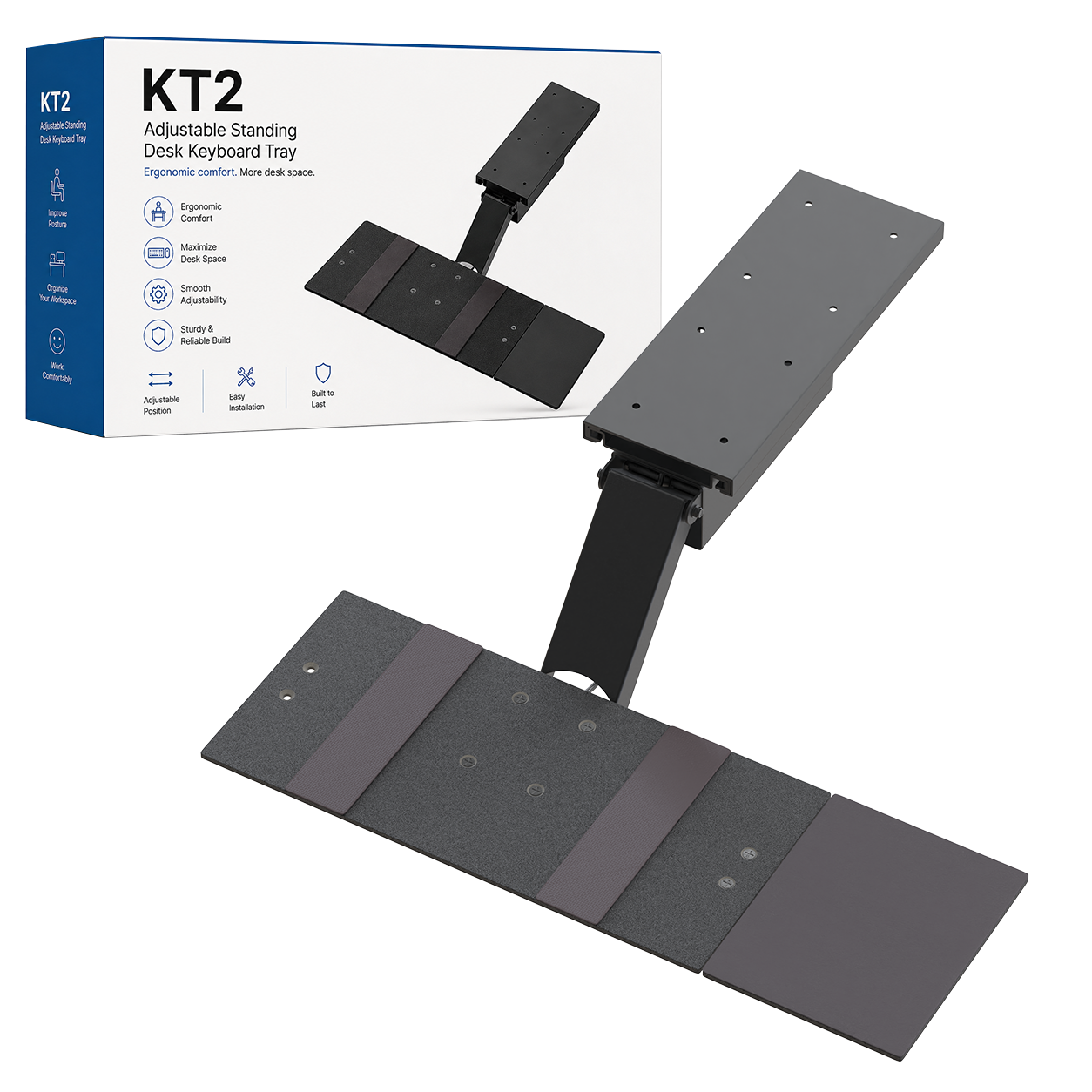
KT2 Sit-Stand Keyboard Tray
Stop letting the desk decide where your hands have to work
KT2 is the under-desk keyboard tray built for workstations that need more range than a conventional slide-out tray can deliver. Its patented extended arm moves the keyboard from roughly 10 in below the desktop to about 8 in above it, giving seated and standing users far more freedom to position the keyboard independently from the monitor.

This is not a basic slide-out tray
Extended vertical range changes what an under-desk tray can do
Extended vertical travel
Move from roughly 10 in below the desktop to about 8 in above it.
One tray for both positions
Keep the keyboard independently adjustable as the workstation height changes.
Fine-tune typing position
Change elevation and keyboard angle instead of settling for desk height.
Separate mouse platform
Place the mouse on either side and adjust its distance from the keyboard.
Commercial-grade build
Designed for daily office use with the range and hardware to support serious workstations.
The range is the reason to buy KT2
Drop the keyboard far below the desk - or bring it above the desktop for standing work

A much larger working envelope than standard under-desk trays
Standard keyboard trays are usually designed to live just beneath a desktop. KT2 uses a longer articulated arm so the keyboard can travel much farther. That makes it useful when the screen stays on the desk but your hands need to work lower, or when you want to raise the keyboard above the desktop for standing use.
- Approx. 10 in below desktop at the low end.
- Approx. 8 in above desktop at the high end.
- Useful with fixed desks and height-adjustable desks.
- Lets keyboard height change independently from monitor height.
Your hands should not be trapped in one position
Change height, tilt, slide depth, and mouse placement around the way you work
Keyboard and mouse positioning are both adjustable
KT2 goes beyond vertical travel. Adjust the keyboard tilt, move the tray in and out, and position the separate mouse platform on the left or right. The goal is simple: bring the input devices to the user instead of forcing the user to reach toward the desk.
- Adjustable keyboard height.
- Adjustable keyboard tilt.
- Slide the tray in or out beneath the desk.
- Mouse platform mounts on the right or left.
- Mouse distance can be adjusted independently.

Built for sit-stand workstations
Standing desk height does not automatically mean keyboard height is right

Separate the keyboard position from the desktop position
A sit-stand desk moves the entire work surface. KT2 gives the keyboard another layer of adjustment, helping different users and different working heights dial in a more natural input position without moving every object on the desktop.
- Useful for seated and standing work.
- Helpful for shared workstations with different users.
- Extended travel accommodates more body sizes and desk setups.
- Tray can swivel through a wide arc when surrounding desk structure allows.
A complete under-desk system
KT2 includes the tray, mouse platform, KT Bridge, mounting hardware + instructions
Everything needed for the intended installation is in the system
KT2 is a permanent screw-mounted under-desk keyboard tray. The system includes the main keyboard tray, separate mouse platform, KT Bridge, mounting hardware, and installation instructions.
- Keyboard tray assembly.
- Separate left- or right-side mouse platform.
- KT Bridge included.
- Mounting hardware included.
- Installation instructions included.

Specifications
The important details at a glance
| Mount type | Permanent screw-mounted under-desk installation |
|---|---|
| Approx. vertical range | About 10 in below to 8 in above desktop level |
| Keyboard adjustment | Height, tilt, slide depth, and swivel subject to surrounding obstructions |
| Mouse platform | Separate platform with right- or left-side placement and adjustable distance |
| Best use | Sit-stand desks, shared workstations, and setups needing extended vertical travel |
| Patent status | Patented design |
| Included | Keyboard tray, mouse platform, KT Bridge, mounting hardware, and instructions |
| Warranty | 1-year limited warranty |
Why KT2: choose it when a conventional under-desk tray does not travel far enough. KT2 is built around extended vertical reach so the keyboard can work for both seated and standing positions.
See KT2 in action
Lower when seated. Higher when standing. Fine-tune everything in between.


Frequently asked questions
KT2 questions
How is KT2 different from a standard keyboard tray?
KT2 is built around a much larger vertical working range. It can move from roughly 10 in below the desktop to about 8 in above it, making it useful for both seated and standing positions.
How is KT2 different from KT1?
KT2 uses a longer arm and provides substantially more vertical travel, including the ability to raise the keyboard above desktop height for standing work.
Can I use KT2 with a standing desk?
Yes. KT2 is specifically useful with sit-stand workstations because the keyboard can be positioned independently from the desktop.
Can the mouse platform go on either side?
Yes. The separate mouse platform can be positioned on either the right or left side and its distance from the keyboard can be adjusted.
Does KT2 swivel?
Yes. The tray can swivel through a wide range, although actual movement depends on surrounding desk structure and other obstructions.
Is drilling required?
Yes. KT2 is a permanent screw-mounted under-desk tray and requires installation beneath a suitable desktop.
Is the KT Bridge included?
Yes. KT2 includes the KT Bridge along with the keyboard tray, mouse platform, mounting hardware, and instructions.
What warranty is included?
KT2 includes a 1-year limited warranty.
| Type | Value |
|---|---|
| Description: | Adjustable height & angle ergonomic keyboard tray. Raises keyboards from ~10” below to ~8” above desk height – perfect for sitting or standing! |
| Material: | Steel & Phenolic Resin |
| * keyboard panel dimensions: | 18.5" (w) x 8.75" (d) |
| * mouse pad dimensions: | 7" (w) x (8.75" (d) |
| Is the mouse pad adjustable?: | Yes. Slides left & right + tilts. |
| * rail length (mounts to your desk): | approx 19.5" |
| Installation required?: | Yes, simple installation is required. |
| Is the height adjustable?: | Yes, from ~ 10" below your desk to 8" above your desk. |
| Can you adjust the typing angle?: | Yes. Keyboard tray angle is adjustable. |
| Does it pivot?: | Yes. KT2 easily swivels left & right |
| Is kt2 adjustable?: | Yes, slides in & out. Keyboard tray tilts. Height adjusts. Mouse pad adjusts. |

|
Watch: kt2 adjustable height ergonomic sit stand keyboard tray with negative tilt zoom in Fully ergonomic under-desk keyboard tray that’s adjustable in height and angle with negative tilt, has the unique ability to raise keyboards above desk height for standing and a large adjustable height range... |

|
Watch: kt2 overview: ergonomic sit stand under desk computer keyboard tray with negative tilt An ergonomic under-desk keyboard tray with a huge adjustable height range that promotes proper posture by providing ample separation between keyboards and monitors plus the unique ability to raise keyboards above desk-level for standing. |
 United States
KT2 - Adjustable Standing Desk Keyboard Tray
Best tray ever!!
United StatesGreat piece of equipment
Works really well. Installation is easy and straight forward. Some of the provided nuts/bolts just BARELY engage. One hole on my mouse pad needed to have a drill taken to itto sink the counter bore so I could even tighten the nut onto the back (without sinking it, the nut did not engage). Operation is intuitive, I recommend taking your mouse off before adjusting the height as the angle of the trays will probably make your mouse fall off. Sliding in and out is a bit tough but I'd rather have a tight fit (which will loosen over time with wear) vs something that doesn't stay put. There is a slight bounce when typing rapidly or placing my hands on the tray but overall it feels VERY sturdy. I'm a pretty fast typer and I don't notice it interfering with my day to day. When compared to other similar style systems from Humanscale, I'll gladly take these minor inconveniences to save $200+. Previously my keyboard was sitting on my desk and causing pain as it was too high. With the ability to adjust my keyboard after just 1 day of use I notice such a huge difference!! For $130, my shoulders, elbows, and upper back are thanking me immensely!! Thank you for the stellar product uncaged ergo.
United Statesneed to return and get refund
I have called and email to hello @ and info @ and still nothing, this place sucks and I am filing charges with the state's attorney general office
Works well for the price
I wanted to be able to raise my keyboard up above my desk to work while standing and lower it back down when sitting. I was able to configure my office with the KT2 to be ergonomic. It is completely adjustable. The specs and description are right on target. I called Uncaged to ask a few questions before ordering and they were knowledgeable and kind. I have plenty of surface area, so I didn't need or want to spend a lot of money to be able to have a standing location in my office. The K2T is sturdy enough for the price. Careful though, it is heavy, needs a pretty good surface to screw this to. The reasons this product didn't get a 5 is (1) because of the screws, they could have been more self-tapping. (2) some of the installation points could have been designed easier for the installer to access. All-in-all, I am very pleased with this product for the price.